gabmus
- 1 Post
- 23 Comments
Joined 1 year ago
Cake day: June 25th, 2025
You are not logged in. If you use a Fediverse account that is able to follow users, you can follow this user.

 2·16 days ago
I literally helped my brother boot into a vm from an actual windows install drive with virt manager, without even copying the disk into an image, just a couple of weeks ago. Some features might not work like 3d acceleration and such but the vm boots, you can login, access the desktop and go about whatever you need to do. AFAIK a VM emulates standard compliant hardware that windows should always be able to boot into, otherwise even just the installation iso would fail to boot.
If you have enough space and plan on using libvirt or any other virtualization technology that just lets you use img files as virtual disks, you can just dump the entire disk with dd:
(replace /dev/sda with the disk containing windows)
dd if=/dev/sda of=./windows-disk.img status=progress
The CPU is alright and the RAM should be sufficient for most tasks.
There are a couple of things that could impact performance here, first the SSD could be on its way out, or slow to begin with, so maybe post some info on that.
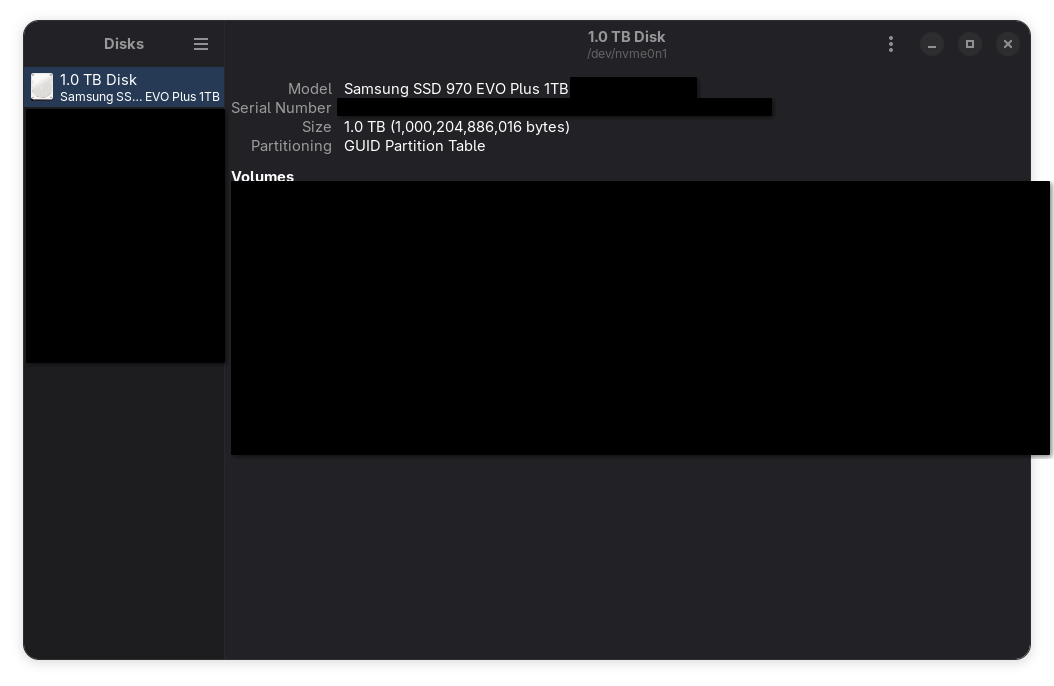
You can use gnome disks to get more information on your ssd, here’s a screenshot on my system, with some information obscured. The model name should be enough.
You can benchmark the SSD using either gnome disks again, as shown here:
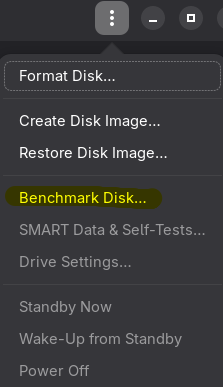
Or alternatively you can use KDiskMark. Give us some numbers, maybe it’s gonna be as simple as replacing your SSD.
Another thing that could make your system feel sluggish, since you lament little freezes happening, is Plasma itself. I know what I said about desktop environment havyness, and I still stand by it: it’s not that Plasma is “heavier” or anything like that, it’s just that some of its code is not very well optimized and with slower drives it can show. Brodie Robertson made a video about this a couple of years ago, see if what he describes matches your problem, but consider that this is old information at this point and while some of these issues might still exist, they might have already been fixed.
I have mid computers from 2010 running that take far less than 2 seconds to open a browser, I think there’s either some missing driver for your hardware or something wrong with your hardware in the first place. Please post your exact specs so that we can try giving you better advice.
Also worth noting that for modern-ish computers the desktop environment is the least offender when it comes to resource consumption. Any modern browser will use roughly at least 2x memory compared to the desktop environment.
just use what works for you? 14h battery life is gonna happen when we have proper arm laptops with good linux support, in the meantime you have to compromise. I think there are some arm laptops that are usable on linux, but it’s gonna be a science project not a stable workhorse machine
 5·1 month ago
Most reviews on youtube are already telling the full story. My review is this: it’s a good controller, comfortable to hold, with tmr joysticks, gyro, trackpads and back buttons. I use it to play controller focused games, and as a mouse/keyboard solution for htpc purposes. It does the job very well, can’t complain. It’s also “just a controller” with more features, so there isn’t much to talk about in the first place.
I don’t know much about quicksync but it’s very likely that you’re just missing something on debian to have it working. I believe the hardware in that mini pc (particularly the 32gb of ram, that’s practically gold) is more than capable of running all the services you listed.
 10·1 month ago
also, if anything installing stuff from the AUR makes things slightly safer because PKGBUILDs and .install files are a lot easier to inspect: you can check the source repo/tarball/whatever points to an official source, and you can verify that the scripts (which are just shell scripts) are not doing anything nefarious.
on the other hand, IIRC OBS and COPR just distribute binaries that are very hard to inspect
EDIT: just don’t use an AUR helper and you avoid most of the trouble
Take a look at Xournal++, it’s not precisely the same workflow but if “scrapbooking” is what she’s looking for then it’s quite good for that
It’s a simple game that runs well at launch and doesn’t have scummy micro transactions or live service. It might just be my opinion, but while the game is enjoyable, there’s nothing special about the story itself to justify making it into a series. I mean they can if they want to, but it’s more the technical formula that works and they need to repeat, rather than the story concept itself.
This reads like quite a different workflow, but AFAIK the standard in both x and wayland for inserting special characters is using a compose key. You can set up a key as the compose key in the keyboard settings of any de/wm/compositor (right alt in my case) and use it in a key sequence to assemble special characters. I use it all the time to type italian accent characters on a us keyboard and it’s always dependable and quite intuitive even for characters I don’t regularly use.
Some examples:
composea"→äcomposee'→écomposec,→çcomposeoo→°compose-→→
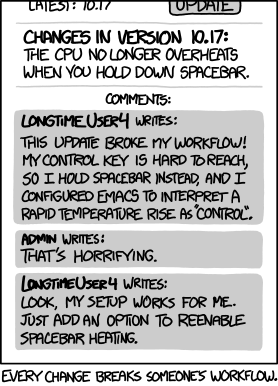
I’m not saying your use case is invalid, but it falls well into unsupported territory I feel like, and reminds me of this.
This said, there must be a way for an application to simulate input, that’s what virtual keyboards do, including steam’s virtual keyboard which is not integrated in the desktop environment, so your workflow can likely be replicated. You might need to spend some time finding the right tool for it, or possibly creating your own, but wayland and plasma wayland in particular have all the bits in place to make this happen.
Sure, this comic edit is just for the fun of it

 13·3 months ago
They accomplish different things. Anyway, in my experience music assistant is still a bit underbaked. But I’d love to hear what other people have to say!
you will still need multilib for a while: https://github.com/ValveSoftware/steam-for-linux/issues/13015#issuecomment-4099423331
 4·5 months ago
has it been a nightmare? I’m genuinely asking because I have it set up (with nextcloud master container) and although I don’t use it very often, the times I do it seems quite alright
 30·5 months ago
Easiest way is to use heroic. You can easily install it from the discover store, log in with your gog account and click install. Then right click and add to steam directly from the heroic interface, this way it will show up in the deck game mode.
Ps: I know you wrote you don’t need a fancy launcher, but this is legitimately the absolute easiest way to go about it.
Pretty much the same as any other incarnation of openwrt, just without a lot of the compatibility headaches and weird installation processes that you typically have with other architectures. It’s just install and forget pretty much.
As for the link speed, you can just
cat /sys/class/net/eth*/speedas with any other linux system. Not sure how your configurations stopped working or broke, maybe your storage got corrupted or something? Hard to tell, but I doubt openwrt caused it on its own, it sounds new to me.
As for opensense, I just like openwrt better. Also yeah sure I bought a dumb switch and a standalone access point (some zyxel also running openwrt) for an extra ~120eur total but that’s a whole setup and it works quite well.
Xbox controllers ship with a firmware bug out of the box (thanks microslop!), you need to update the firmware to make them work properly on Linux, but it needs to be done through windows as explained in this section in the Arch Wiki. EDIT: you still need to install the xpadneo driver once your firmware is updated.
A decent option for those of us that don’t have and don’t want to have windows around is to bring your controller with you to a computer shop, along with a usb cable, and use one of the demo computers to update it.
If spending money is an option, a lot of people already recommended 8bitdo controllers, I can only say I agree with that. I have the ultimate 2c, which is about ~30 eur, comes with hall effect joysticks, so no stick drift ever, and uses a dongle for the wireless connection, with an option to use bluetooth as well. Plus they come in some really pretty color combinations. Hard to beat that for the money.